01
Compare
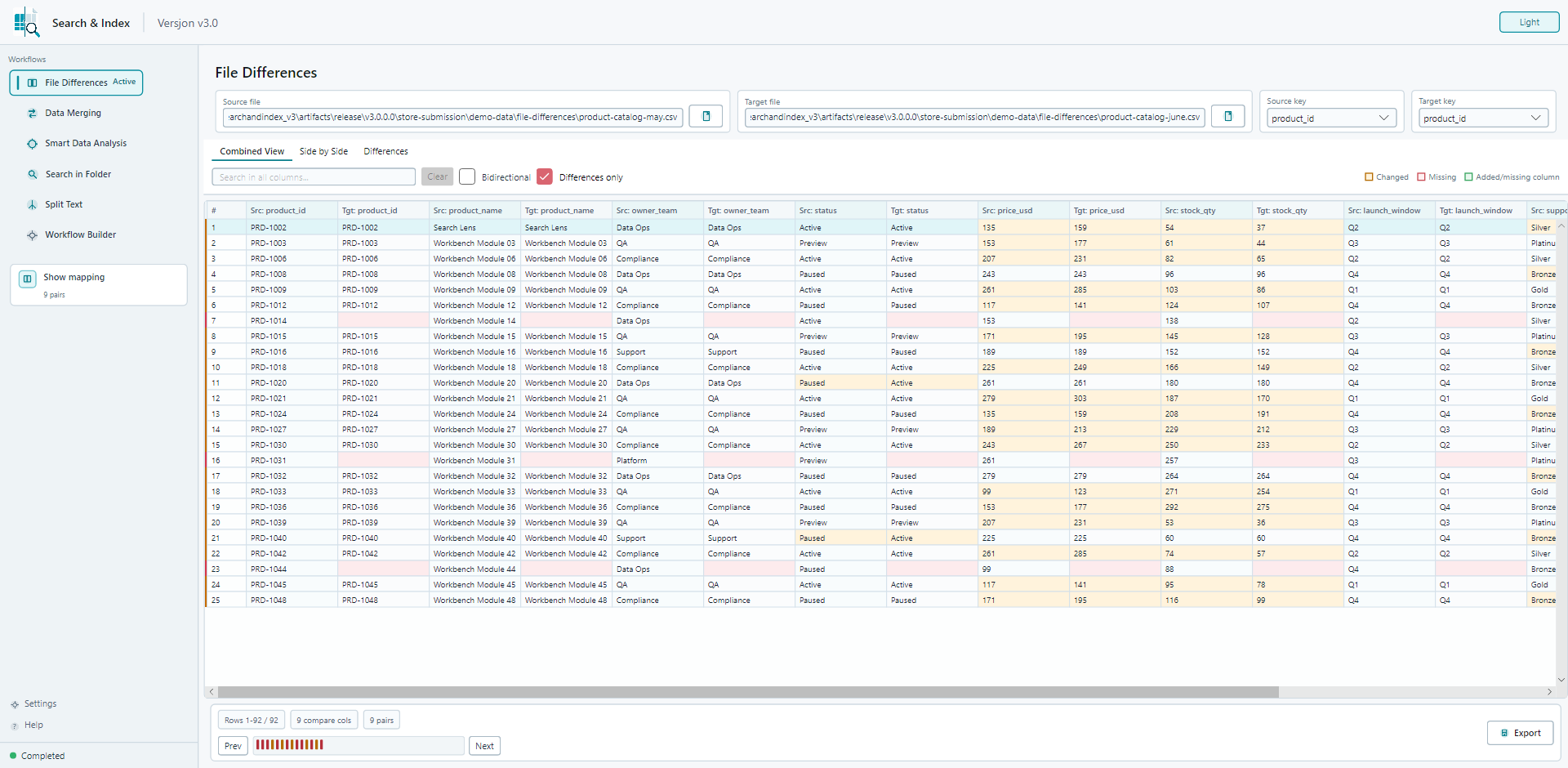
File Differences
Compare structured files, review changed rows, and keep export status visible.
Key column mappingChanged, missing, added rowsReview before export
Compare, merge, search, split, match, review, and export local file evidence from one focused Windows desktop workbench.
Compare files, merge datasets, search folders, review matches, split text, and export results with source context in one workbench.
Compare structured files, review changed rows, and keep export status visible.
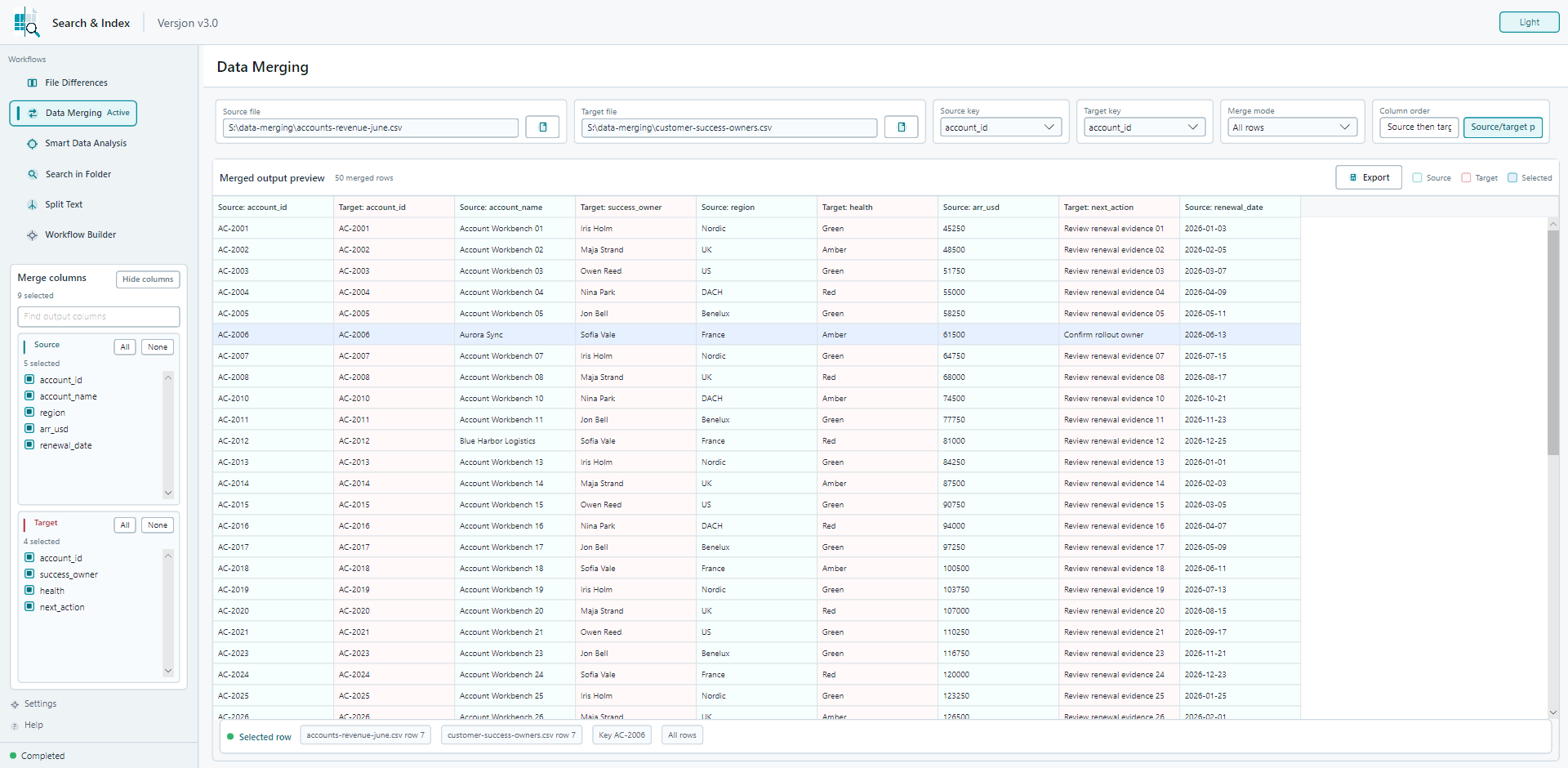
Merge source and target datasets while preserving source and target column lineage.
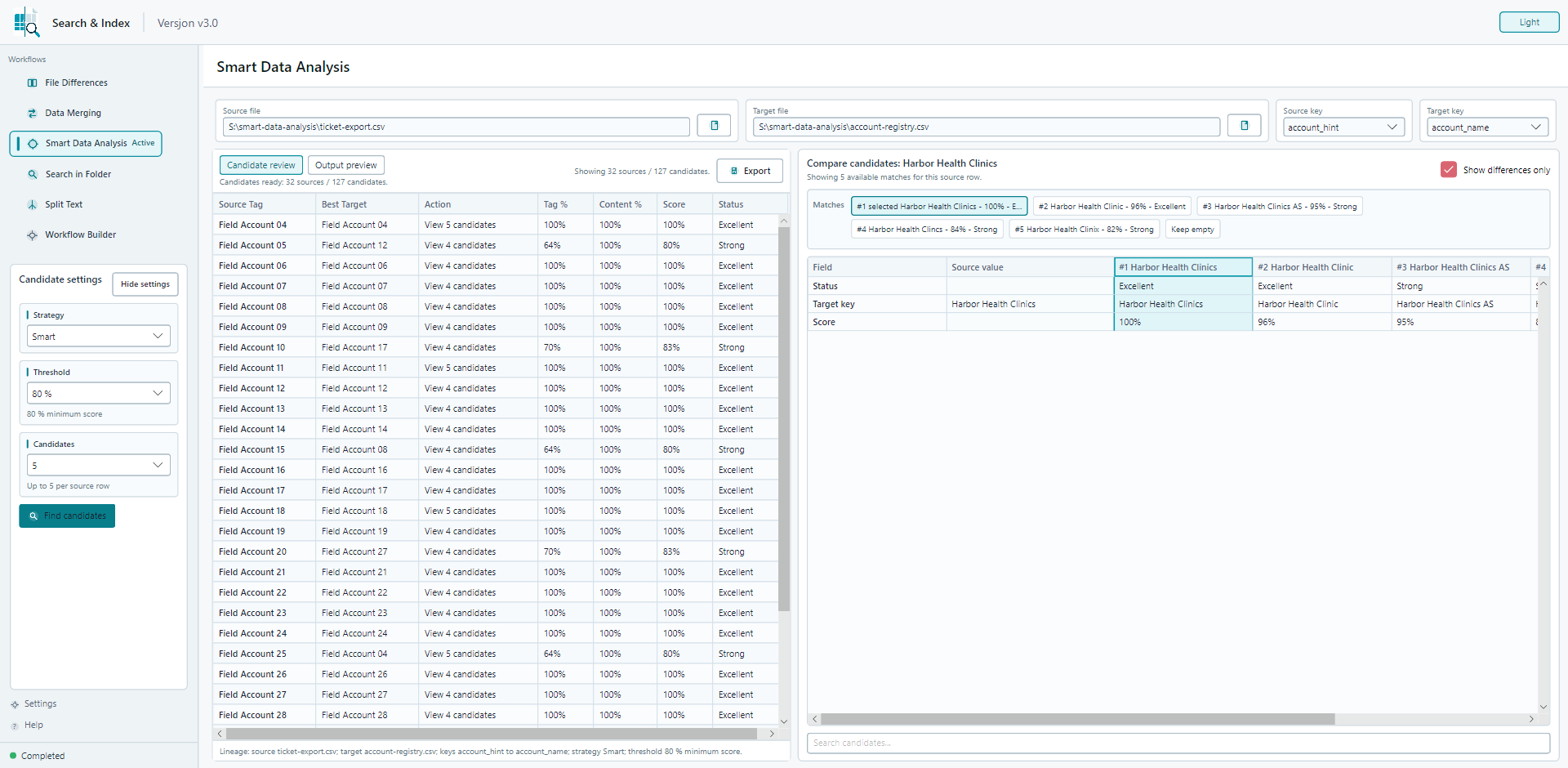
Review likely matches with scores, alternate candidates, and context before deciding.
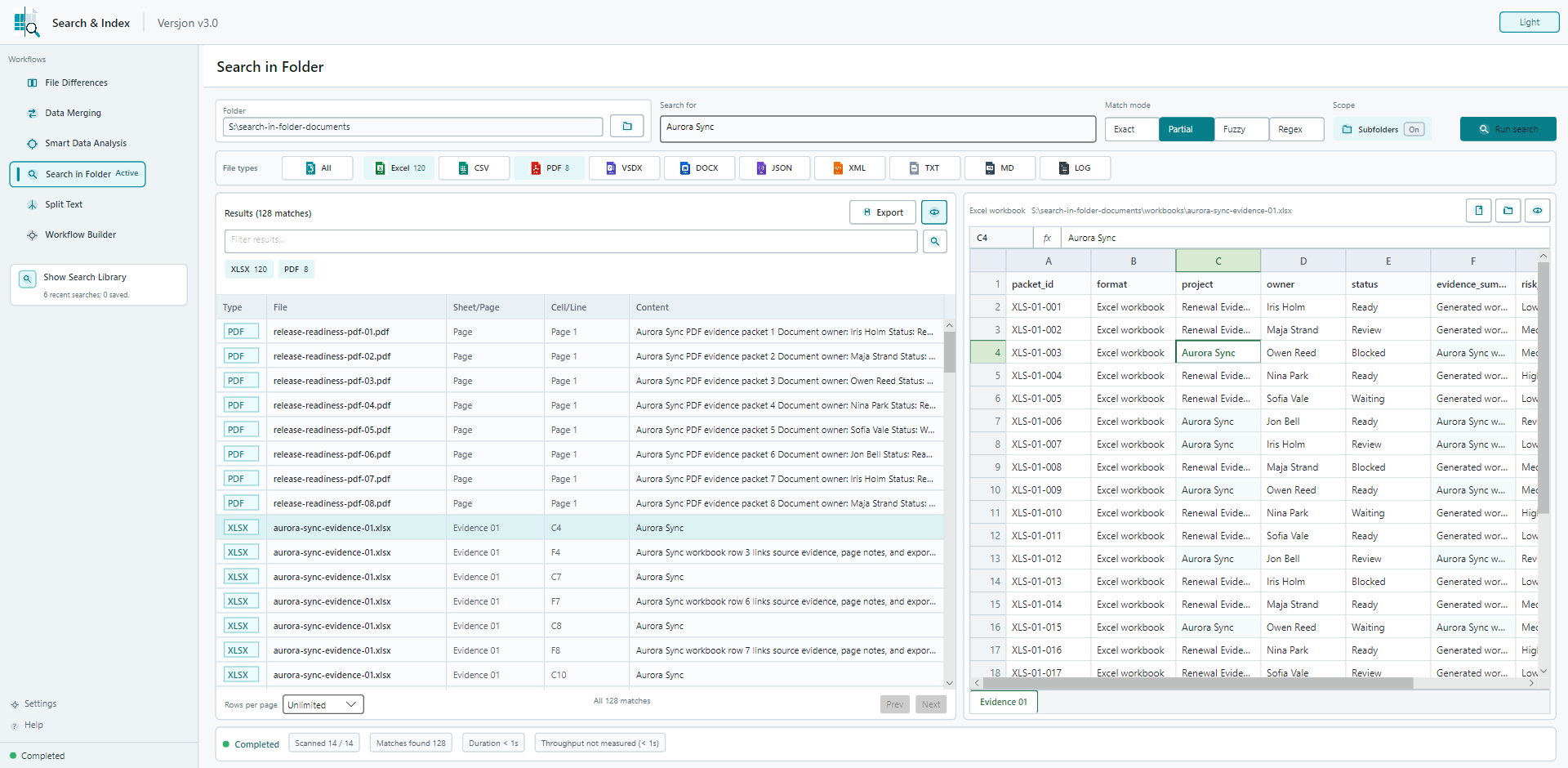
Search mixed local folders, filter file types, select a hit, and preview content.
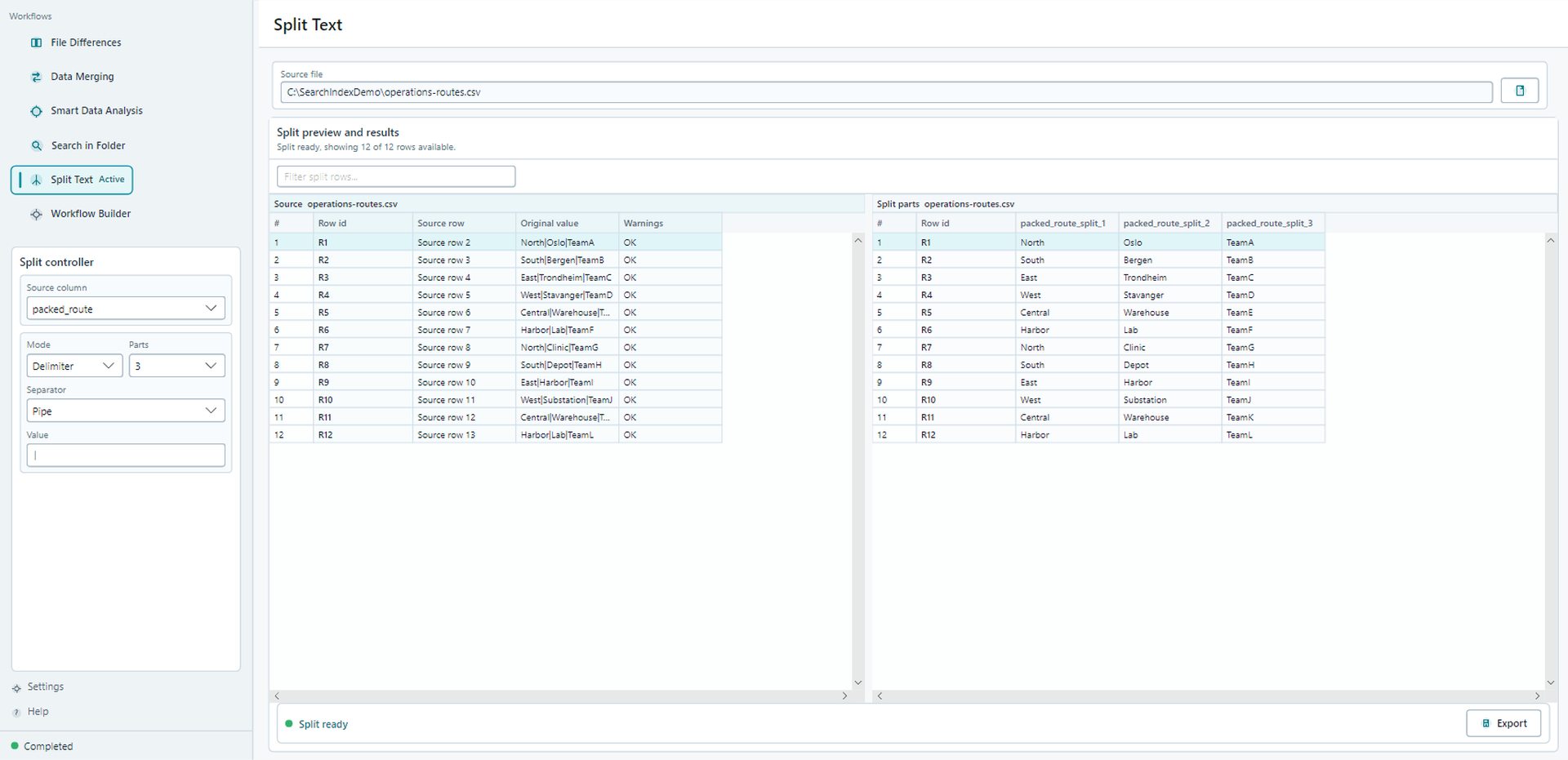
Turn packed operational fields into generated columns while keeping the original value.
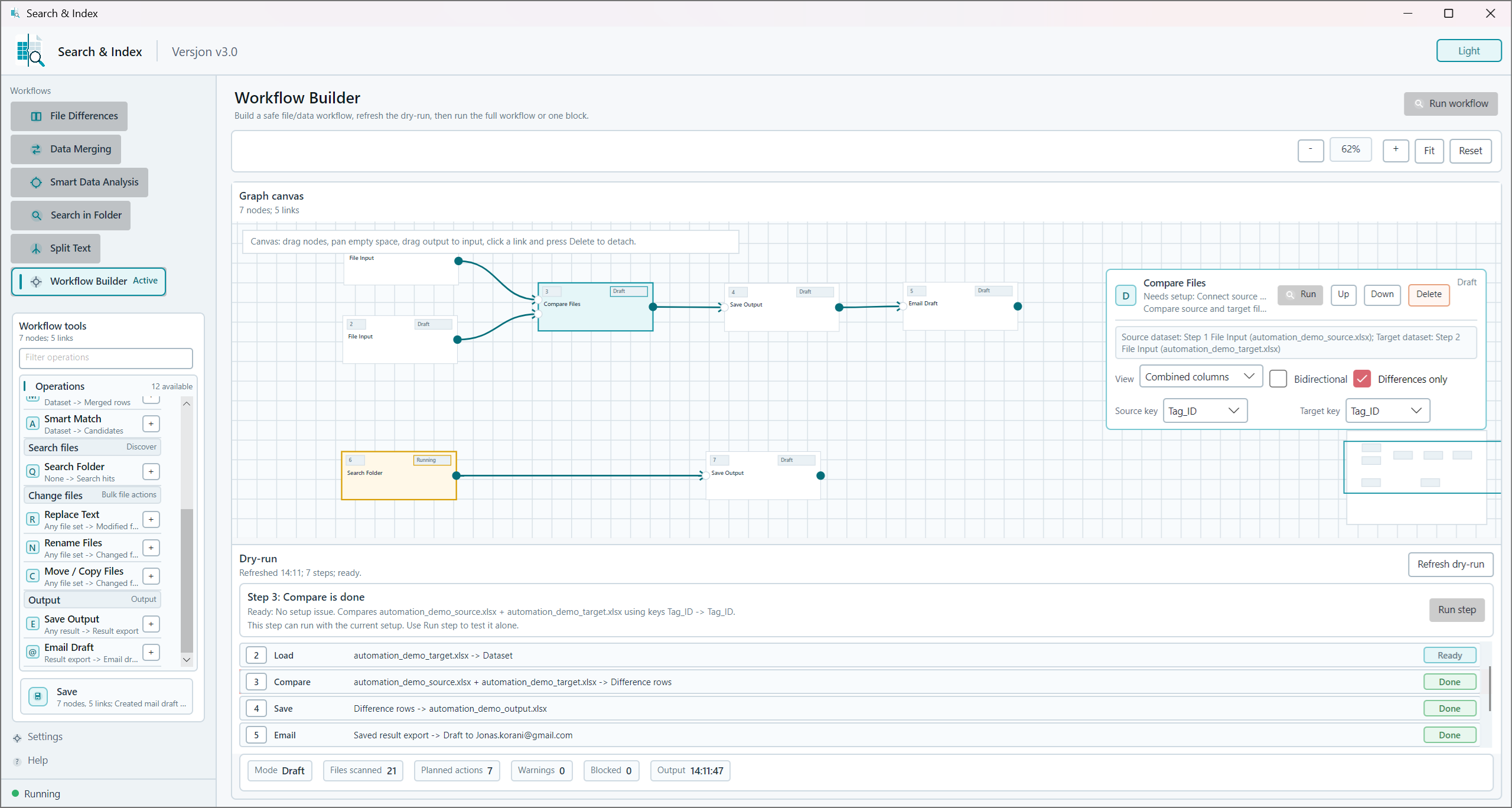
Validate multi-step workflows and export an apply-plan before file-changing work.
Search & Index keeps the source file, selected keys, warnings, and row status next to the result so you can check the work before exporting.
Choose source, target, and key columns.
Check changes, matches, warnings, and previews.
Save the reviewed output when it looks right.
CSV and workbook flows are first-class. Search also handles text, logs, structured files, and best-effort document previews with honest warning states when files cannot be read cleanly.
Screenshots lead with real grids, filters, keys, warnings, previews, and export controls.
Smart matching is framed as candidate review with scores and context, not automatic truth.
Results stay tied to source file, target file, key columns, match strategy, and export provenance.
Workflows fit together as one coherent system instead of unrelated mini tools.
Paging, progress, cancellation, and preview limits are positioned as serious workflow traits.
Motion stays tied to review flow, workflow movement, and product evidence.
Install the Windows-first file search and data comparison workbench for real local matching, preparation, review, and export evidence.
Open Microsoft Store